
Project Zomboid
Server Hosting in Australia
Starting from $10/mo. Configure your plan below.
Choose Your Plan
Project Zomboid Game Type

Project Zomboid
Survive Knox County with your group on a Build 42 dedicated server. It stays online when you log off, and it's hosted in Sydney for low ping across AU and NZ.
Choose Your Plan
All prices are in Australian dollars (AUD).Select a plan to view price
Server Specs
- Performance-tuned processors
- Unlimited NVMe SSD storage
- Enterprise DDoS Protection
Network
- Premium Sydney bandwidth
- Low-latency routing
Game Server FeaturesWhat's included with my server?

Blazing Fast Servers

AI-Powered Modpacks

Instant Setup

Automated Backups

Fast Support

DDoS Protection

Scale Up or Down

72 Hour Refunds
Our Control PanelMeet CorePanel
Discover powerful features to manage your game server!
Dashboard
Console
File Manager
Settings
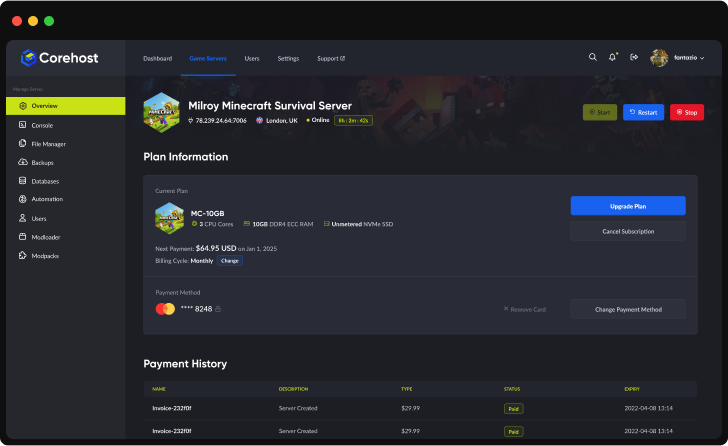
Plan Info
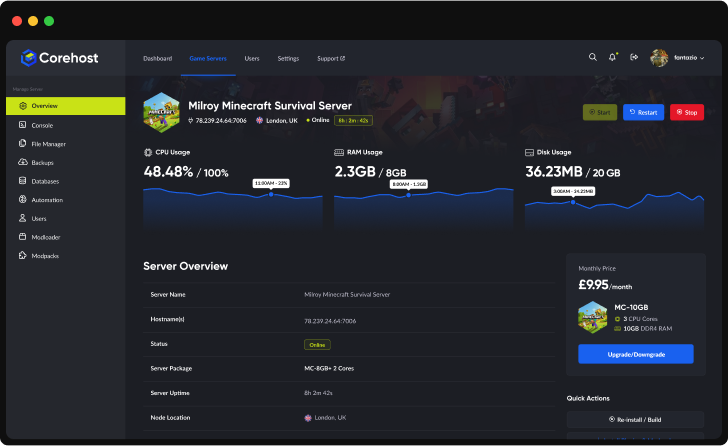
Powerful Dashboard
Monitor your server's vital statistics in real-time with our comprehensive dashboard. Track CPU, RAM, and disk usage through elegant visualisations, manage your server with one-click controls, and view all critical server information in a single, streamlined interface.
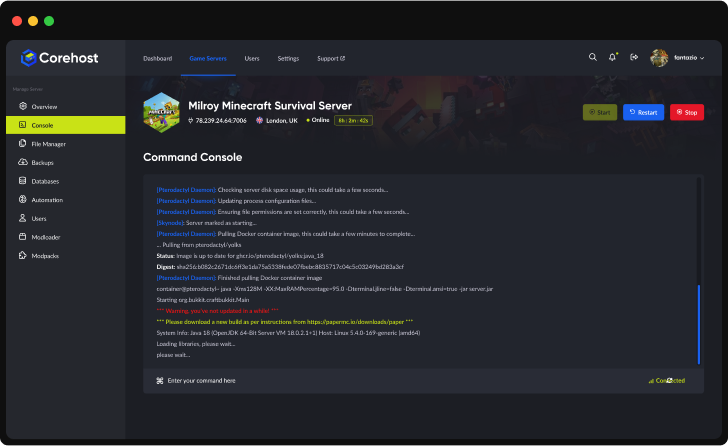
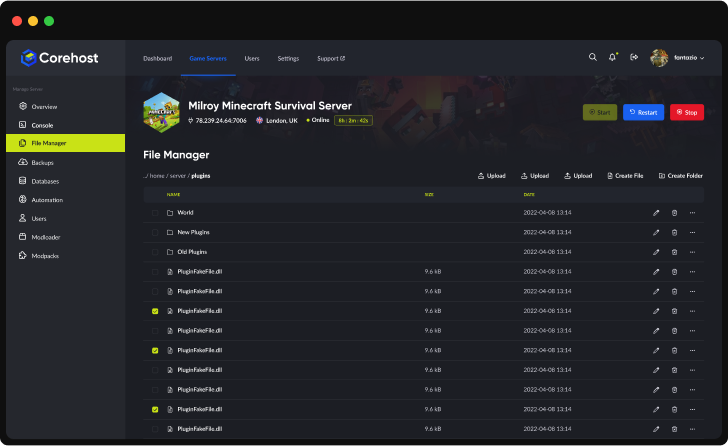
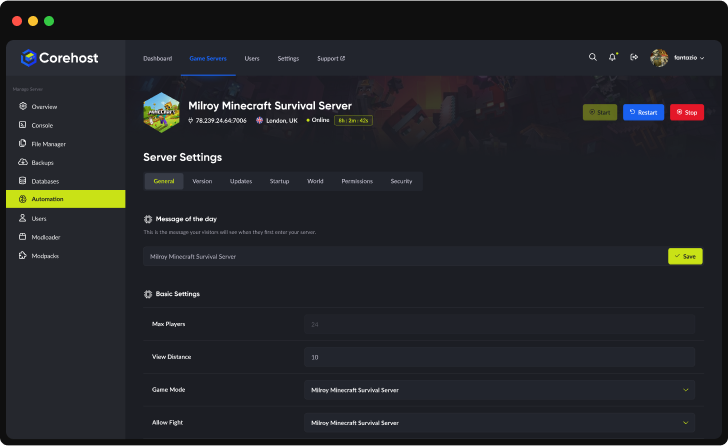
Server InfrastructureEnterprise-Grade Hardware

Premium CPUs
Performance-tuned
ECC Memory
High-performance
NVMe SSD
Ultra-fast storage
Premium Network
Low-latency routing'%3e%3cpath%20d='M-0.5%2074.875H254.5'%20stroke='%231961EF'%20stroke-width='21.25'%20stroke-miterlimit='10'/%3e%3cpath%20d='M-0.5%20128H254.5'%20stroke='%231961EF'%20stroke-width='21.25'%20stroke-miterlimit='10'/%3e%3cpath%20d='M-0.5%20181.125H254.5'%20stroke='%231961EF'%20stroke-width='21.25'%20stroke-miterlimit='10'/%3e%3cpath%20d='M73.875%20255.5V0.5'%20stroke='%231961EF'%20stroke-width='21.25'%20stroke-miterlimit='10'/%3e%3cpath%20d='M127%20255.5V0.5'%20stroke='%231961EF'%20stroke-width='21.25'%20stroke-miterlimit='10'/%3e%3cpath%20d='M180.125%20255.5V0.5'%20stroke='%231961EF'%20stroke-width='21.25'%20stroke-miterlimit='10'/%3e%3cpath%20d='M190.75%20234.25H63.25C46.7813%20217.781%2037.2187%20208.219%2020.75%20191.75V64.25C37.2187%2047.7813%2046.7813%2038.2187%2063.25%2021.75H190.75C207.219%2038.2187%20216.781%2047.7813%20233.25%2064.25V191.75C216.781%20208.219%20207.219%20217.781%20190.75%20234.25Z'%20fill='%232E303A'/%3e%3cpath%20d='M80.7812%20197.062L57.9375%20174.219V81.7812L80.7812%2058.9375H173.219L196.062%2081.7812V174.219L173.219%20197.062H80.7812Z'%20fill='%23C9E216'/%3e%3cpath%20d='M92.2%20180L75%20162.8V93.2L92.2%2076H161.8L179%2093.2V162.8L161.8%20180H92.2Z'%20fill='%23B5CB19'/%3e%3c/g%3e%3cdefs%3e%3cclipPath%20id='clip0_224_2316'%3e%3crect%20width='255'%20height='256'%20fill='white'/%3e%3c/clipPath%3e%3c/defs%3e%3c/svg%3e)
QuestionsProject Zomboid server FAQ
Which version of Project Zomboid does my server run?
Build 42, the current public branch on Steam. With Update on start turned on (the default), the server checks Steam for an update every time it starts, so it stays on the same version as your players' games.
Can I run Build 41?
Not at the moment. Our servers run Build 42 only, so your players need to be on the default Build 42 branch in Steam to join.
How many players can join, and how much RAM does Build 42 need?
The 10GB plan has 6 player slots and the 12GB plan has 10. Build 42 needs a lot more memory than Build 41, especially while it generates the map, so our plans start at 10GB. You can change plan from your control panel.
Why does my control panel show about 8GB in use when nobody is online?
Project Zomboid runs on Java, and the server sets aside most of its memory for Java when it starts. On the 10GB plan that shows as about 8GB in use even on an empty server. This is normal: the game uses that memory as players explore.
How do I add Steam Workshop mods?
Open Mods for your server in CorePanel and paste the mod's Steam Workshop link into the AI Mod Assistant. It backs up your world, adds the mod to your server, restarts it and checks in the console that the world and the mod loaded. If they don't, it puts your previous mod list back by itself. Many Workshop mods need another mod to work: the assistant tells you which one is missing so you can add it first. Your players download the mods automatically when they join. The assistant manages the mod list because CorePanel rewrites the WorkshopItems and Mods lines of the server's .ini file on every start. Many Build 41 mods don't work on Build 42.
How do I change zombie population, speed and other sandbox settings?
In Settings in CorePanel, turn on Use these world settings, then choose the zombie population, speed, strength, toughness, infection, cognition, respawn and skill XP rate. They apply after a restart, and zombie population only changes parts of the map nobody has visited yet. For any other sandbox option, stop the server and edit Zomboid/Server/corehost_SandboxVars.lua in the File Manager.
How do my friends connect?
Share the IP address and port from your server's Overview page. In Project Zomboid, choose Join, add a server with that IP address and port, then connect. If you set a Join password in Settings, they need that too. To list the server in the in-game browser instead, turn on Show in the server browser in Settings. There's no port forwarding to set up.
Can PlayStation or Xbox players join?
No. Project Zomboid is a PC game on Steam (Windows, macOS and Linux) and has no console version.
How much does a Project Zomboid server cost?
$10 a month for 10GB (up to 6 players) or $12 a month for 12GB (up to 10 players). Prices are in Australian dollars and billed monthly.
More answers in our FAQ, and every plan for every game on the pricing page.
Deploy your game server today
Your server is set up automatically as soon as you order, with no waiting on a person.